
One step ahead with these plugins

Serial Codes Validator Update – 20260604

= 2.9.10 – 2026-06-04 =

  • New: “Check Lizenzserver” button in the Support tab — a read-only connectivity test that confirms whether the license/update server (vollstart.com) is reachable and reports the response time. Helps diagnose outbound firewall / server hardening blocking premium update and license checks. Does not send or modify the stored license serial.
  • Fix: Validation errors when creating or editing a code list (e.g. the free-plan list limit #108, or a duplicate list name) were rendered as a hard fatal-error screen that locked up the whole admin app — or, for edits, failed silently. On submit the dialog also replaced its form with a spinner, so any error message landed on the now-detached form and the spinner span forever. The dialog now keeps its form on submit (the OK button shows the busy state) and validation errors appear as a friendly inline message inside it; the dialog stays open and the entered values are preserved so the user can correct and retry.
  • Changed: The #108 list-limit message now reads correctly for lists (it wrongly said “too many codes”) and states the actual free-plan limit, e.g. “You reached the maximum of 5 code lists in the free version.”
  • Fix: The OK button in the add/edit code-list dialog is now disabled while the save request is in flight and re-enabled if it fails. Prevents accidentally submitting the same list twice on slow connections (the dialog stays open during the request).
  • Fix: Admin/frontend JavaScript files now carry a per-file modification-time cache-buster (&_f=filemtime) in addition to the version. Browsers and asset caches reliably load the latest script after an update even when the plugin version itself did not change between builds.
  • Fix: Valid premium customers could be wrongly downgraded to free limits (spurious #108 “list limit reached”). The license-serial check only looked at the WP option, but the serial can legitimately live only in the plugin’s own options (the source the admin UI shows) — e.g. after an older premium version or when the daily cron cleared just the WP option. The check now accepts the serial from either location, matching how the rest of the plugin reads it. Behaviour is unchanged for installs whose serial is in the WP option, and an install with no serial anywhere is still treated as free.
  • New: The Support tab now shows a read-only “Premium Diagnostics” card. It lists the four conditions that decide whether premium is recognized (premium plugin active, premium code loaded, isPremium(), license serial present, maxValues() available) with a clear pass/fail and the resulting list limit — so it is immediately visible why premium does or does not apply (e.g. when #108 wrongly fires). The same info is included in the copyable support text. Read-only: it changes nothing and never transmits the serial.

Update your plugin from within your WordPress plugin area as usual.
In case you want to revert your update: Go to the advance tab of the plugin home.
There is the option to download an older version that can be installed via upload within your WordPress plugin area.
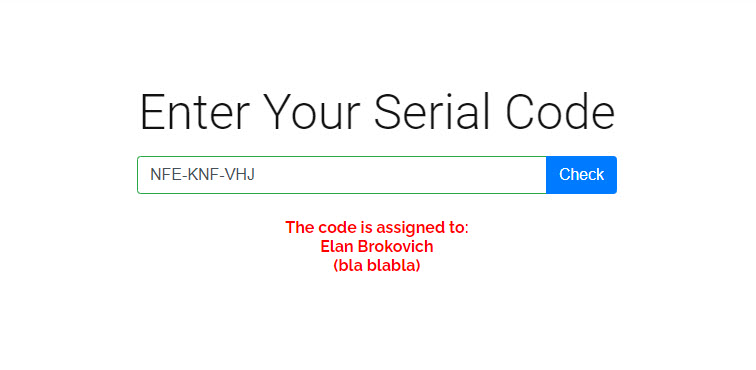
Serial Codes Generator and Validator Premium

With the Premium Plugin, you can have a lot of additional features. Offer your customer a serial code validator. Check out the premium features.

Login