= 3.1.1 – 2026-06-15 =
- New: Event portals — the Congress tool now works for any event (opera, zoo, festival, …).
- New: Optional card-grid landing showing each page as a card with an icon or image and a short description.
- New: Customizable portal label per portal (with a global default, “Infos”) — used on the page, in the wallet action and the order email.
- New: Back-to-home control in the portal view.
- New: Insert ticket/order/product/customer variables into info and custom section text; they are filled with the visitor’s data when the page is opened.
- Improvement: Internal data and links are unchanged — existing congresses keep working exactly as before.
- Improved: Cleaner admin dashboard — moved the “List of tickets” description into the list card next to its buttons and removed the redundant heading and divider.
- New: Speaker sections — add one or more speakers (photo, name, title, short bio). A single speaker is shown in full; multiple speakers appear as a grid of cards with a detail view and a back control.
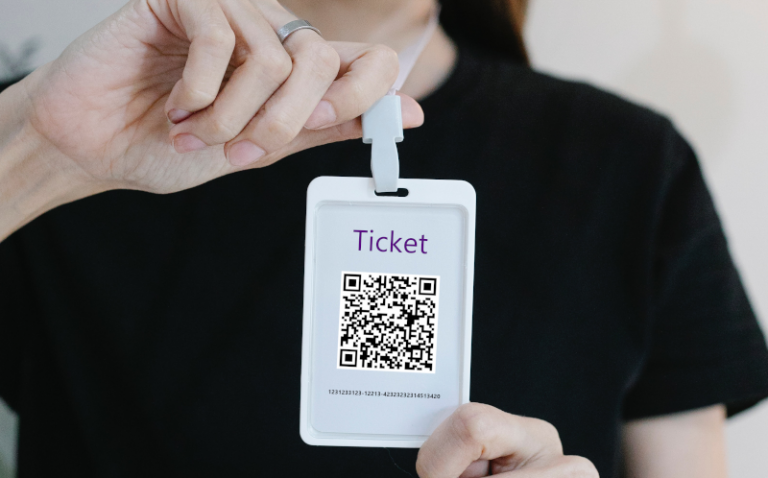
- New: “My ticket” entry in the portal always shows the ticket’s QR code, so attendees without a printed badge can present it at the entrance.
- New: Portal entries (such as “My ticket”) also appear as cards on the card-grid landing.
- Improvement: The portal title is now clickable and returns to the start page; the “Add to Vollstart Wallet” link moved from the header into the “My ticket” view.
- New: View access toggles (security) — each output reachable through the ticket link (ticket detail view, PDF, ICS calendar, badge PDF, all-tickets-in-one-PDF, event portal/congress) can now be switched off individually. When off, the view is no longer rendered and a short “deactivated” notice (or 403 for downloads) is shown. All default to on, so existing installs are unaffected. Unlike the older “hide button” options, this actually blocks the URL.
- New: Optional “Allow redemption by plain ticket number” (off by default). When enabled, a ticket can additionally be redeemed using only the plain ticket number printed on the card; the full ticket id keeps working as before. Note: for the plain number the copy protection does not apply, and it is unsafe together with ticket reuse (a warning is shown on both options).
- Fix: Settings checkboxes whose default is “on” (e.g. the new view-access toggles, the QR scanner on the validation form, the seating-plan/venue buttons) could appear unchecked until the settings page was saved once. The admin UI compared a boolean default too strictly; it now renders the correct checked state. The actual behaviour was always correct (the option was on) — only the checkbox display was wrong.
= PREMIUM 1.7.1 – 2026-06-15 =
- Feature: Badge Contact Exchange (Congress) — attendees can be required to enter their contact details (name, e-mail and the optional per-ticket field) on the congress page before they can view the content. The form is prefilled from the order (billing address or customer account, configurable) and the profile is stored with the ticket.
- Feature: Per-congress settings (in the Congress editor) to enable contact capture, choose the prefill source (billing vs. customer name + e-mail), and select which fields (name / value) may be shared and exported.
- Feature: Administrators can export the shared contact profiles of a congress as CSV (one click from the congress list), protected against CSV formula injection.
- Feature: Once an attendee has shared their details, the congress portal shows a “My contact details” entry where they can review and update what they share.
- Feature: Badge networking (optional per congress) — attendees scan each other’s badge QR codes in a “Networking” portal section to exchange contact details (one-way, like a digital business card). Collected contacts are stored with the scanner’s ticket and can be exported as vCard or CSV. Only shared, same-congress profiles are returned; the shared fields honour the per-congress name/value settings.
- Feature: Per-congress toggles control whether attendees may export their collected contacts as vCard and/or CSV; an optional scan icon in the portal header opens the scanner directly when networking is enabled.
- Improvement: In-portal badge scanner with adjustable options (classic/compatibility scanner library, vibrate on scan, scan frames per second); the scanner stops automatically once a badge is read.
- Change: Eventado.com publishing is now opt-in per event. The global “Enable eventado.com publishing” option is on by default, but it only switches the feature on — no event goes public until you tick “Publish this event for free on eventado.com” on the individual product. This replaces the old “Exclude this product” checkbox and prevents accidentally pushing all events.
- Change: Turning the global option off still stops all eventado.com publishing at once (new pushes stop immediately, the next daily sync removes existing listings).
Want to be listed as an implementation partner?
We want to add a page dedicated to implementation partner and WordPress developer/designer. You can get listed on this page, if you like. It is free and we will forward users that need help with implementing special behavior to this page. So you can get new customers and support the plugin 🙂
Please send an email to [email protected]. We need your name/company name, website, what you are (developer, designer, etc), with what you can help regarding the plugins (serial and/or event) – the idea is that people with issues, like designing a ticket template with twig or so, can get help from you. If you have default prices (hour, project or so) then we can add them also to the page. I will have to evaluate a bit, so that the quality can be checked. We cannot ensure your listing, if it does not match with the needs of our customer and the relevance to my plugins.
In case you want to revert your basic plugin version:
You can download the old basic plugin from the advance tab on the plugin website. Install it manually via the plugin area.
https://plugins.trac.wordpress.org/browser/event-tickets-with-ticket-scanner/tags
Download the version you like and rename the folder to event-tickets-with-ticket-scanner.
Then zip the folder.
Upload the zip file to your WordPress installation using the plugin area.