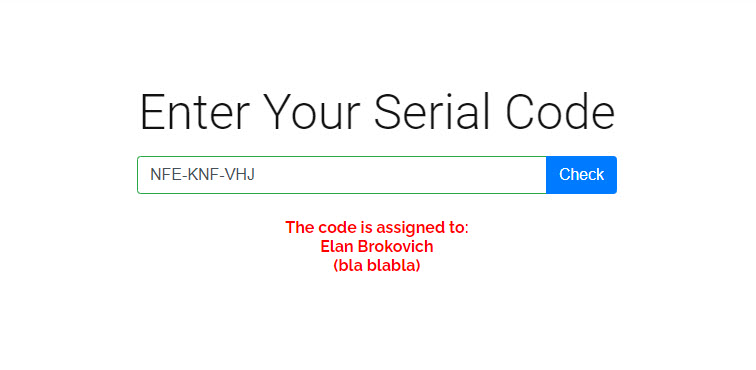
New: QR code scanner on the validation form — users can scan QR codes with their device camera instead of typing the code manually (enable in plugin settings)
New: Options change history with revert — every option change is logged with old/new value, user, and timestamp; revert to any previous value with one click
New: Export, Import, and Reset options — export settings as JSON, import from file, or reset all to defaults
Improvement: Modern admin UI redesign — card-based layout, blue accent color, header bar with pill navigation, badge styles, responsive design
Improvement: Options area now uses tabbed layout (Options + Change History) for cleaner navigation
Improvement: Add Codes wizard styled with card layout, scroll-to-top on open
Improvement: Sticky scroll-to-top button in options area
Improvement: Header rendered server-side in PHP for faster initial paint and correct WP sidebar behavior
Improvement: Backend CSS loaded via wp_enqueue_style instead of JS injection (prevents layout shift)
Improvement: Action columns in Lists and Codes tables wider with nowrap for buttons
Improvement: Scoped global CSS button selectors to plugin container only
Improvement: i18n support — 23 languages with .po/.mo/.json translations
Fix: Null guards for PREMIUM object — prevents crash when isPremium flag is set but premium plugin is not loaded
Fix: CSS and JS files now include version-based cache busters to prevent stale assets after updates
= PREMIUM – 2.5.4 – 2026-04-09 =
Improvement: Styled CSV import section in Add Codes wizard with modern card layout (matching basic plugin UI redesign)
Update your plugin from within your WordPress plugin area as usual. In case you want to revert your update: Go to the advance tab of the plugin home. There is the option to download an older version that can be installed via upload within your WordPress plugin area.
Serial Codes Generator and Validator Premium
With the Premium Plugin, you can have a lot of additional features. Offer your customer a serial code validator. Check out the premium features.
Wir speichern Cookies auf Ihrem Computer, um Ihr Website-Erlebnis zu optimieren. Sowohl auf dieser Website als auch auf anderen Medienkanälen. Mehr erfahren dazu finden Sie in unserer Datenschutzrichtlinie.
Du kannst deine Zustimmung jederzeit widerrufen, indem du den den Button „Zustimmung widerrufen“ klickst.